Drums3D VR is out: a free drum kit for Meta Quest

In short: Drums3D VR, released on 5 October 2026, is a free app for Meta Quest. You sit behind a full drum kit and play it with the sticks in your controllers, along with grooves in the style of 150 songs. It is in Early Access: get it on the Meta Horizon Store.
What's in the first version
- The kit: kick, snare, two rack toms, floor tom, hi-hat, crash and ride, played with two sticks that sit in your controllers.
- Play-along: the same grooves as on the website, in the style of 150 songs. The groove can play everything, or only the kick while your hands play.
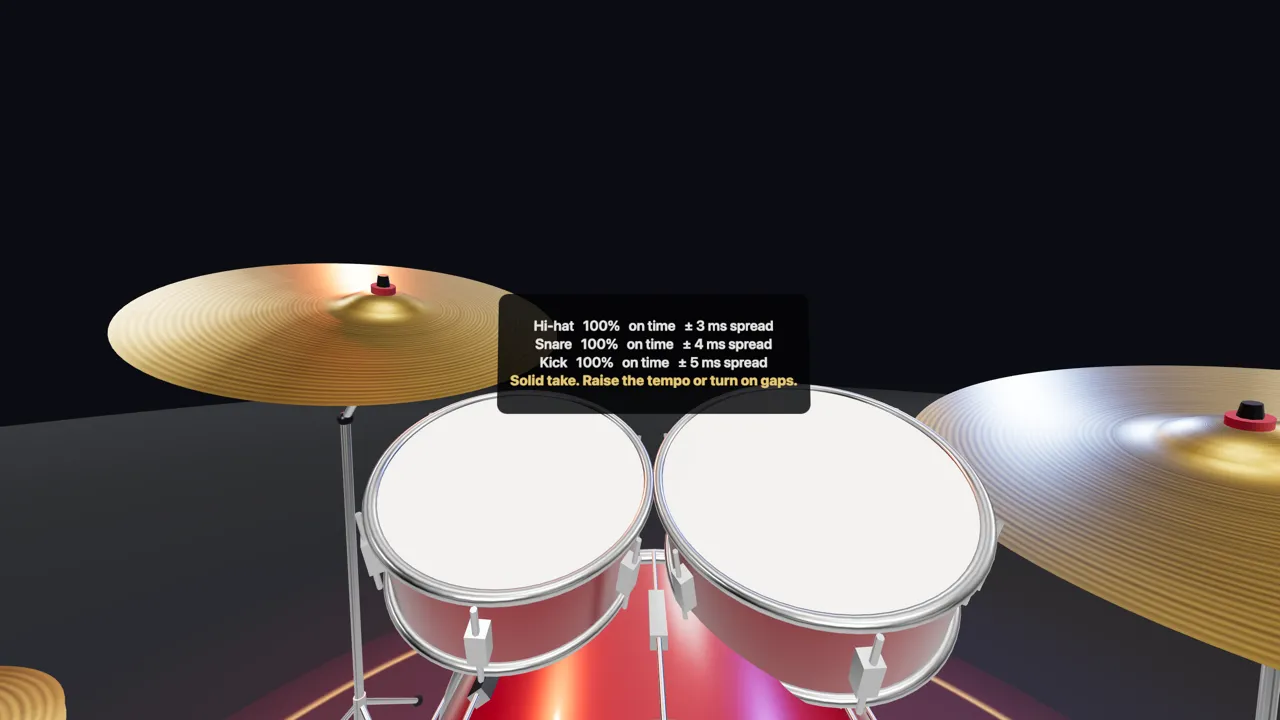
- Practice: rings land on each drum just before it should be hit; in Your turn the groove goes quiet, the click stays and every hit is measured. A scoreboard above the toms shows, per drum, how early or late you were, in milliseconds.
- The 7-day plan: the beginner plan is in the menu, each lesson one button away.
- Your kit: five setups to start from, then every drum and cymbal can be moved, raised and tilted. Kit finishes, stage lights and the light show come from the website.
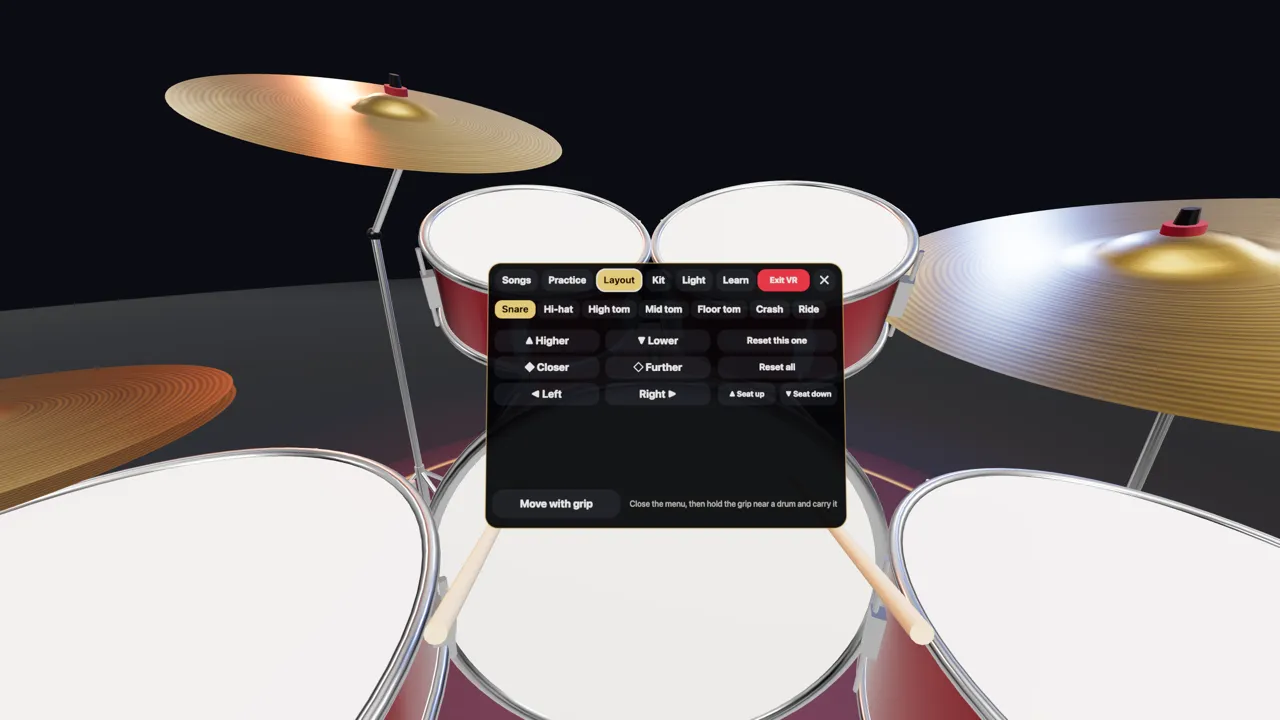
Everything sits in one menu that you call up with B (or Y). It opens at arm's length in front of you and closes the same way, so nothing floats around the kit while you play. An earlier test build had a panel standing beside the kit like a music stand; reaching for it and reading it at an angle was awkward, so it went.
How a stick hit is detected
The headset reports where each controller is on every frame, 90 times a second on a Quest 3. Every frame, Drums3D follows the tip of each stick from where it was to where it is now and checks whether that path crosses a drum head or a cymbal.
- Only strokes into the surface count. The speed is measured along the direction the head faces. A stick resting on a drum, sliding off it or coming up through it from below (controller tracking can do that) stays silent.
- Speed sets the volume. Strokes start counting at 0.35 m/s into the surface; from there to about 3.2 m/s the hit goes from soft to full.
- No double hits. The same drum can't be triggered twice by one stick within 70 ms, so a stick bouncing on the head plays once.
- You feel it. Each hit gives the controller a short buzz, stronger for harder hits.
The path is checked from slightly behind the previous position, so a fast stroke can't pass through a thin drum head between two frames.
Pedals without foot tracking
Quest controllers track your hands, not your feet. So on the first visit Drums3D asks you to press the button you want for the kick, then the one for the hi-hat pedal. Any trigger, grip, A/B/X/Y or stick press can be a pedal, and the menu and groove buttons move to the other hand if a pedal takes theirs. Pressing both sticks lets you choose again.
If the hi-hat pedal is a trigger or a grip, it is analog: squeeze it part-way and the hi-hat opens part-way, let go fast and it closes with a louder "chick".
For a real foot, a Bluetooth page-turner pedal (the kind musicians use to turn sheet music) works: Page Down or the down arrow plays the kick, Page Up the hi-hat. And if you only want to practise your hands, let the groove play the kick with A (or X).
Why the VR kit is set up closer
On a screen, the kit can be spread out to look good. In VR, every drum has to be within reach of your arms without stretching. The default setup, VR Comfort, started from a setup that felt comfortable in the headset and was checked against common drum-teaching advice: snare between the knees at about waist height, hi-hat close to it, toms just above and in front, cymbals no higher than you can reach with a relaxed arm.
Four other setups (Classic Rock, Jazz & Funk, Metal and Standing) start from different heights and spreads. From any of them, each piece moves up to 60 cm sideways or forward and 40 cm up or down, and tilts toward you or sideways. The seat moves too: right stick for height, left stick for distance.
How to get it
- On your Quest, open the Meta Horizon Store and search for Drums3D, or open its store page on your phone or computer and send it to your headset.
- Start the app, pick your two pedal buttons, then pick a setup.
No headset with you? The same kit runs in any browser: play it on the website, or see the VR page for the full list of controls.
What's next
This is a first version, so feedback shapes what comes next. Apps for iPhone and Android are coming soon as well; until then the drum machine works in your phone's browser.
FAQ
Is Drums3D VR free?
Yes. The app is free on the Meta Horizon Store, with no account, no ads and no in-app purchases.
Which headsets does it run on?
Meta Quest 2, Quest Pro and the Quest 3 family (Quest 3 and 3S).
Do I need an account to play drums in VR?
No. Settings such as your pedal buttons and kit layout are saved on the headset.
Can I use a real foot pedal?
A Bluetooth page-turner foot pedal works: Page Down or the down arrow plays the kick, Page Up the hi-hat. Otherwise two controller buttons of your choice act as the pedals.